



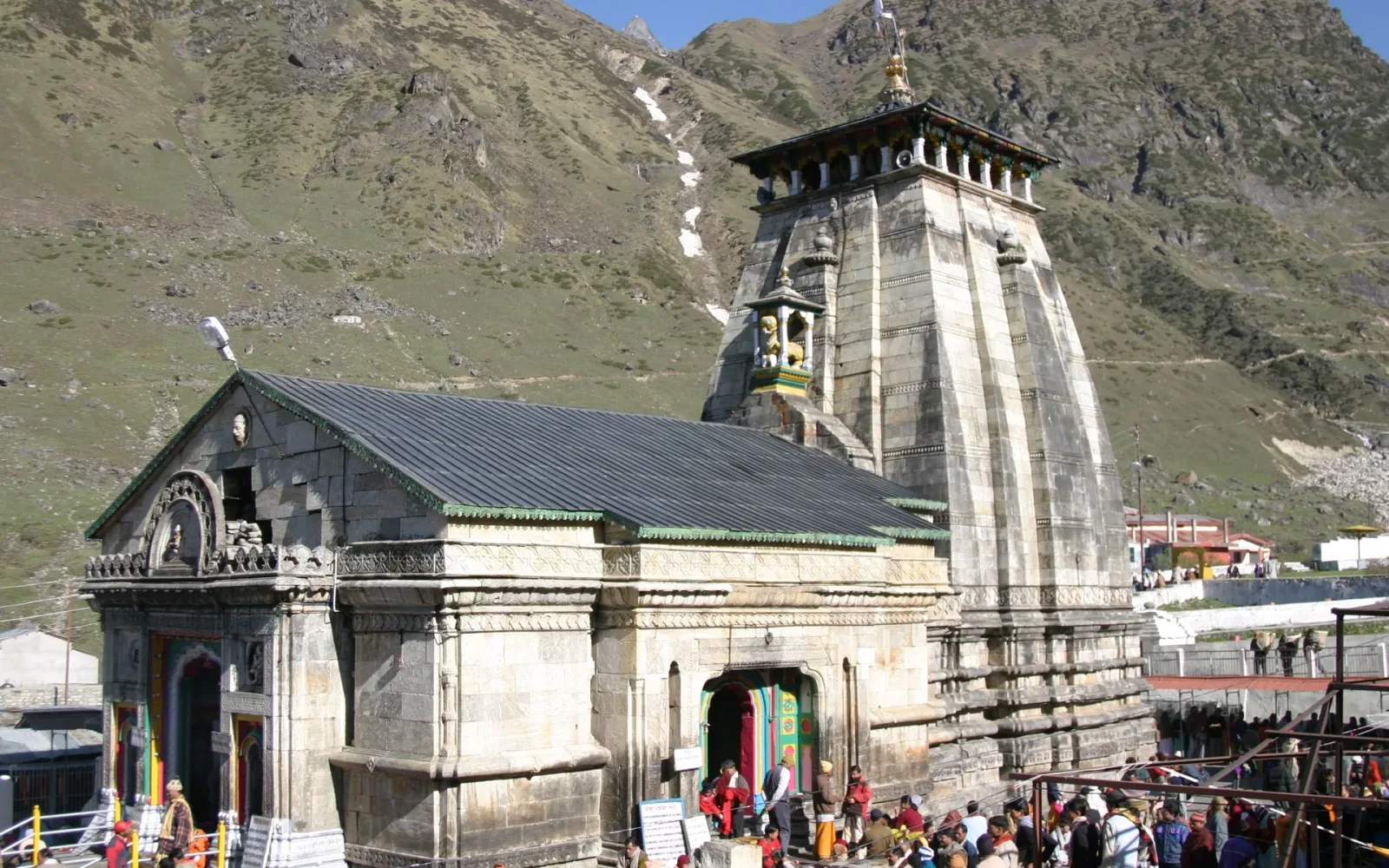

Kedarnath Temple, Uttarakhand, one of the four Char Dham shrines. Photo: Shaq774 at English Wikipedia, public domain, via Wikimedia Commons.

Who has to register, and where
The Tourist Care portal of the Uttarakhand Tourism Development Board states the Uttarakhand government's travel policy in one sentence: it is necessary to register yourself and your vehicles before you start your journey to Char Dham and Hemkund Sahib, and it is essential to verify yourself at each shrine when you reach it. The portal calls this a free exercise, and its important checklist opens with "Compulsory Registration". The portal does not name a legal provision or a penalty, so this guide does not either. Registration is online, on registrationandtouristcare.uk.gov.in or in the Tourist Care Uttarakhand mobile app, which the portal lists for Android and iOS. The portal also lists physical registration points, where pilgrims can register with a Yatrimitra's help or by themselves, and separate verification points.
Before you start: one login, Indian or foreign pilgrim
On the portal you choose Register/Login. Indian pilgrims enter a full name, a valid mobile number, a user type and a password, then confirm a one-time password sent to that mobile number. Foreign pilgrims choose the foreign option, enter a mobile number with country code and a valid email ID, and the one-time password goes to the email instead. The user types are Individual (self) and Family (self and family), and for Indian sign-up Tour Operator, which also asks for a company name, a GST number and a state. Signing in later takes the registered mobile number (or email for foreign pilgrims), the password and a captcha.
Step 1: create the tour
After signing in you add a new tour from the dashboard. The user manual describes the tour type as Chardham/Religious, the dates you enter and leave Uttarakhand, the number of tourists (five family members means you enter five), the mode of travel between the Dhams (by road, by helicopter or on foot) and a specific date against each Dham. Save it and the portal confirms the tour has been created.
Step 2: add each pilgrim
Under the tour you add every person who is travelling, and your selected Dham appears on the form automatically. The manual lists full name, age, gender, a valid mobile number for the pilgrim to carry during the yatra, address, city, district and state, and an emergency contact with relation who is not travelling with you. It also asks whether you are a doctor, the mode of travel for the Dham with a driver name and vehicle number where it applies, any medical condition, a passport-size photo and an identity proof. The manual's identity options are Aadhaar, PAN, passport and voter ID. Its warning matters most: a name cannot be changed once you submit the registration, so type it exactly as it appears on the document you will upload. Use Save and Add More for the next pilgrim, or Finish.
Step 3: download the Yatra Registration Letter
When you finish, the portal produces a Yatra Registration Letter with a unique QR code. In your account, open Manage Pilgrim/Tourist, pick your tour and download the PDF from the registration letter column. The system also sends an SMS with the unique ID to the pilgrim. The manual says to keep the letter, or the SMS on the registered mobile number, with you during the Uttarakhand tour.
At the Dham: verification and the certificate
Before you check in at a destination, a Yatrimitra checks the QR code on your letter or the SMS. After you are verified at a Dham, a Yatra Darshan Certificate becomes available in your account. The manual says you can also download it without logging in, using the unique registration number, the registered mobile number and a captcha, from the Yatri Certificate link on the home page.
What this guide does not tell you
It does not say whether registration is open for any season. The portal's news banner says online registrations have started, but it carries no date, so it is not treated as proof of today's status. Both user-manual PDFs are undated as well, and their examples show dates from earlier years, so a screen may differ from the manual. The manual also lists group sizes per tour, but with no dated source for them this guide leaves them out. Vehicle registration is described by the policy line and listed as a separate portal feature; this guide does not cover its steps. Check the portal for the season you plan, and use the helplines it lists: 1364 (toll free), 0135-2559898, 0135-2552627 and 0135-3520100.
What to carry
The portal's checklist lists the registration certificate ready at the verification point, the Dham darshan slot token (collected for smooth darshan), a valid personal ID proof, any prescribed medicines and warm clothing such as a jacket, shawl and gloves. It also asks you not to drink and drive, not to consume alcohol or tobacco and not to litter.
Last verified: 25 November 2026 against the Tourist Care portal home page and its two registration PDFs, the registration process document and the user manual. The PDFs carry no date.
Questions people ask at the gate
Is Char Dham registration compulsory?
The portal's checklist lists "Compulsory Registration", and its policy line says it is necessary to register yourself and your vehicles before you start for Char Dham and Hemkund Sahib. It names no legal provision or penalty, so ask the Uttarakhand Tourism Development Board helplines if you need more.
Is there a fee to register?
The portal calls the register-and-verify process a free exercise. It does not describe any fee for the Yatra Registration Letter.
Do I register for Hemkund Sahib too?
Yes. The portal's policy line names Char Dham and Hemkund Sahib together, and its steps cover both.
Can I register on my phone?
Yes. The portal says online registration can be completed through the website and through the Tourist Care Uttarakhand mobile app for Android and iOS.
Can foreign pilgrims register?
Yes. The user manual has a separate foreign sign-up: a mobile number with country code and an email ID, with the one-time password sent to the email. The foreign sign-up lists Individual and Family user types.
Does this guide mean registration is open now?
No. This guide describes the process only. The portal's news banner says registrations have started but carries no date, and both user-manual PDFs are undated, so check the portal for the season you plan.
Next walk starts at a new gate.
Was this helpful?
one tap, no sign-up

A Miranda House graduate and lawyer who traded courtrooms for slow travel. Cheshta travels with the batches we host ourselves, with a soft spot for travelling alongside elders.