




- CHANNEL
- chatbot or counter
- PASSENGERS
- check each ticket
- PHONE
- who carries it?
- GATES
- confirm entry and exit
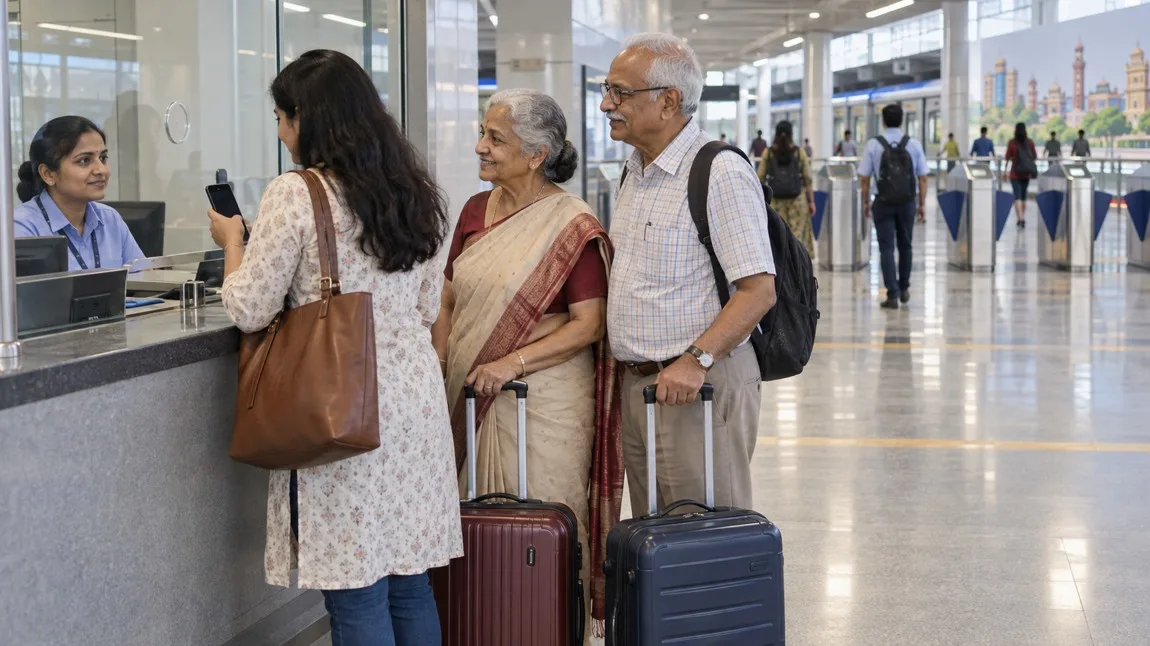
Illustration: a fictional family plans tickets at a generic metro counter. This is not Chennai Airport station, a WhatsApp purchase screenshot or a tested shared-phone gate sequence.
CMRL documents a WhatsApp ticketing route, so a separate Metro app is not the only published option. But booking tickets for parents on one phone is different from proving that they can enter and exit without that phone-holder. Confirm the actual tickets and how each passenger will present them before paying.
Two WhatsApp routes, not one identical process
CMRL's 17 May 2023 launch release describes a chatbot in English and Tamil, reached by sending Hi to +91 83000 86000. It says single-journey and group tickets up to six generate a QR for each passenger. That is dated launch evidence, not a fresh test of today's menus or passenger limit.
A separate 24 January 2024 release describes buying at a station counter and receiving the ticket through WhatsApp. The passenger tells the operator the destination and ticket count, enters a WhatsApp number on the counter keypad, then receives the QR ticket details. The release says this started at Koyambedu and Airport and had extended to all 41 stations at that date. It does not establish today's station count or a remote purchase process.
The official IT/AFC page, marked last updated 13 October 2026, continues to list WhatsApp QR booking and counter delivery to WhatsApp as separate developments. This supports checking these options now, but not an unchanged chatbot screen sequence or every rule from the older releases. The 24 January 2024 gallery records the counter launch; it is not a traveller's purchase walkthrough.
One booking phone does not mean one QR for the whole family
The 2023 release explicitly says a QR is generated for each passenger. Do not interpret a combined payment or group booking as permission to reuse one person's ticket for everyone. Before payment, check the current channel's origin, destination, date, ticket count, total and ticket-delivery details.
If you are travelling with your parents, ask staff how to present each actual passenger ticket from the available phone at both entry and exit. Confirm who keeps the phone and how the family stays together. This article does not give an invented scan order, number of gate openings or permission to hand a phone back across a barrier.
A family-ticket handover worksheet
This original checklist is a planning aid, not proof that separate entry was validated.
| Question | What to settle |
|---|---|
| Who is travelling? | Parents only, or parents with the phone-holder? Record the actual passenger count. |
| Which route? | Chatbot purchase or station-counter delivery to WhatsApp? Do not mix their instructions. |
| Where are the tickets? | Open each delivered passenger ticket and match it to the intended journey; payment success alone is not the ticket. |
| Entry and exit? | Ask how each passenger presents the ticket with the phones actually available, including after the first person crosses. |
| Parents alone? | Get current confirmation on delivery/access to their tickets. Forwarding or screenshots are not assumed accepted here. |
| Phone fails? | Ask what assistance or alternative ticket option is available before reaching the gate. No paper replacement or refund is promised. |
Suggested question: "We have [count] passengers for [from-to]. [I am travelling too / my parents are travelling without me]. We have [phones/WhatsApp access]. Which ticket option works, and how will each person present their own ticket at entry and exit? What should we do if the phone is unavailable?"
If you are booking from home for parents at the airport
Do not buy on your own phone solely because the payment is convenient. First confirm whether the tickets can be delivered to, accessed by and validly presented by the travellers. A forwarded message is not automatically evidence of a permitted ticket transfer. The primary material reviewed does not settle remote family booking, screenshot acceptance or separate entry without the booking phone.
If that remains unclear, ask CMRL staff about the appropriate counter option for your parents rather than sending an untested QR handover plan. Help them identify the official station counter and exact destination. A WhatsApp option can reduce the need for another app, but still depends on the required messaging, payment and ticket-access steps working for this purchase.
Airport access and ticket rules need separate checks
Do not confuse an airport Metro ticket with an airport terminal entry document, flight ticket or transfer guarantee. Confirm the station-to-terminal path, luggage handling, lifts, operating service and the time your group needs. This article supplies no entrance number, walking time, fare or live platform instruction.
The older releases include product conditions such as passenger limits, validity, cancellation and discount terms. We have not verified that every 2023 condition is unchanged in November 2026. Ask the current channel or station staff for the actual total and conditions before payment. No current refund deadline, discount, cancellation entitlement or universal group limit is promised here.
Reviewed 6 November 2026. Public official sources only. No chatbot conversation, ticket purchase, passenger account, separate-entry/exit trial or airport access survey was performed. The source image and planning worksheet must not be mistaken for purchase screenshots or field validation.

A Miranda House graduate and lawyer who traded courtrooms for slow travel. Cheshta travels with the batches we host ourselves, with a soft spot for travelling alongside elders.
Planning your next trip?
We'll handle insurance, hotels, airport assistance and the itinerary — the same way we do it for every trip.
Questions on this article
asked by readers, answered by us
Was this helpful?
one tap, no sign-up